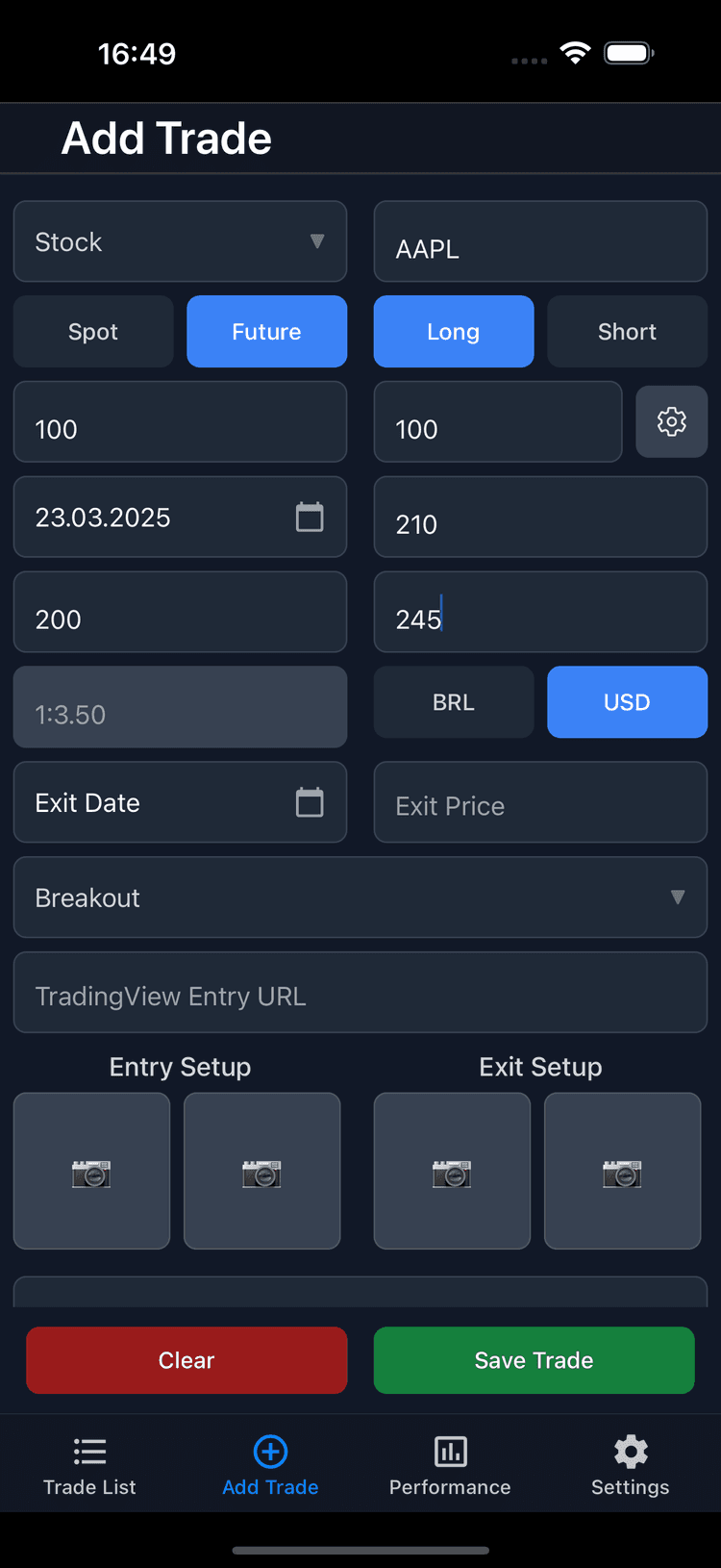
Add New Trades
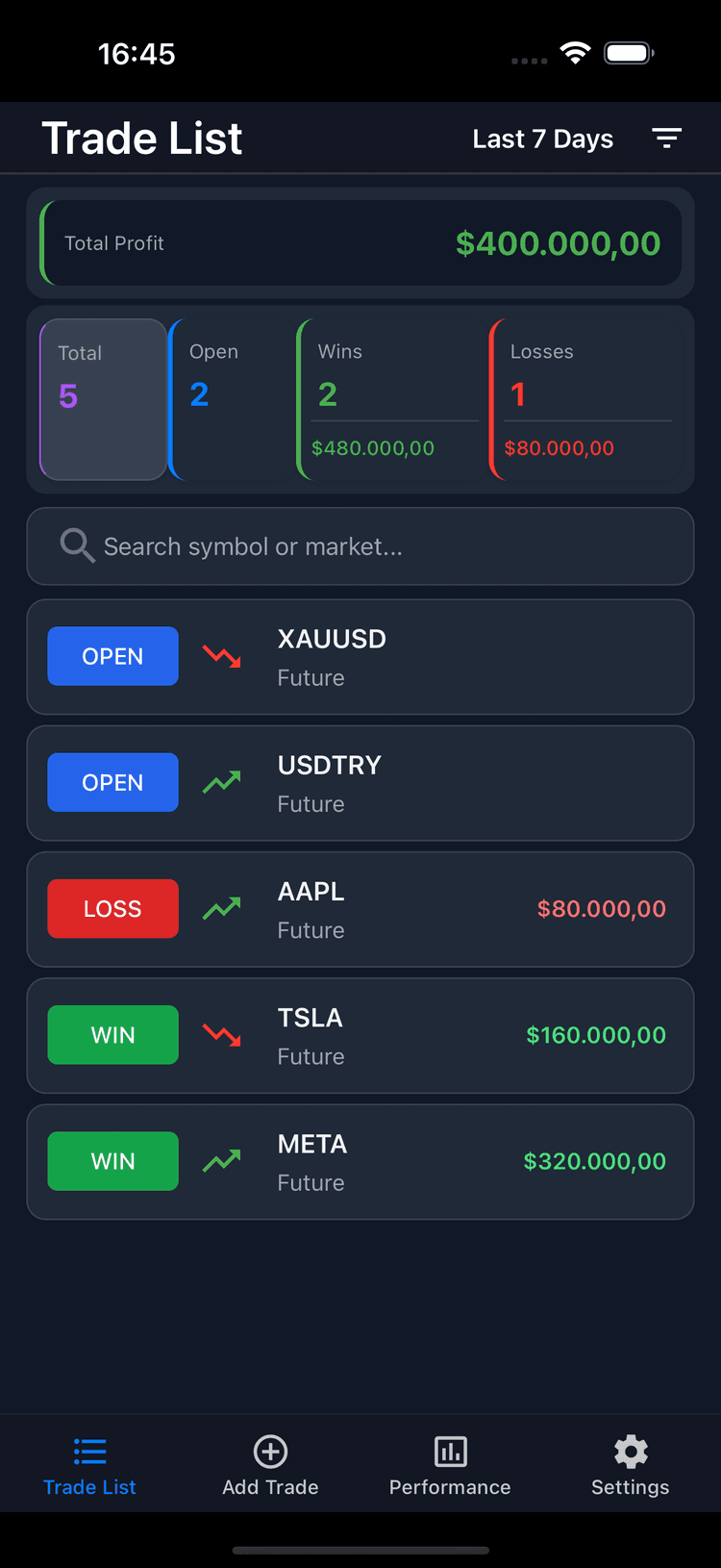
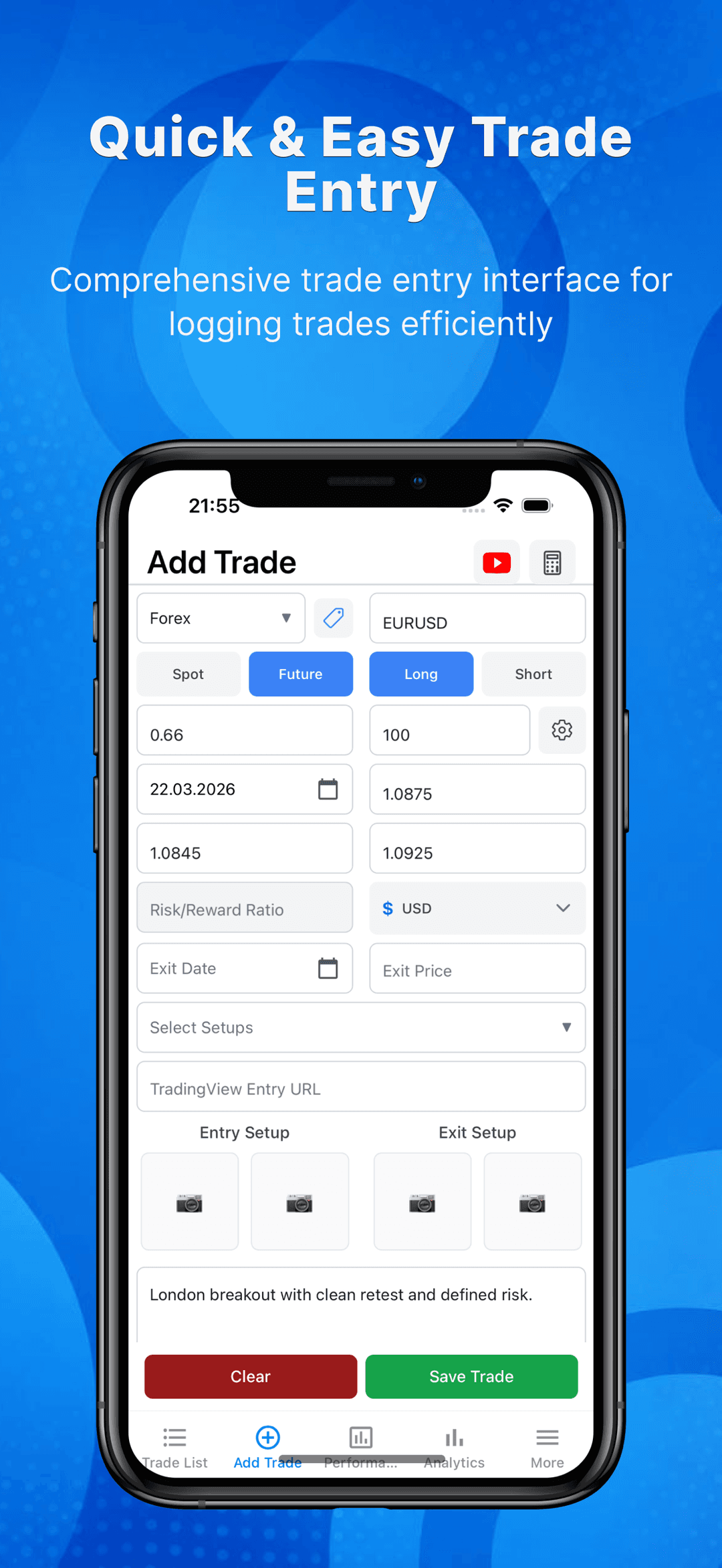
Log your trades effortlessly with key details like entry, exit, notes and more.
Privacy-first trading journal
Take your trading to the next level with TrackIt, the ultimate trading journal designed to help you track, analyze, and optimize your trades effortlessly. Whether you're trading stocks, futures, or cryptocurrencies, TrackIt provides the tools you need to gain insights into your performance and refine your strategy.
Try TrackIt free up to 15 trade entries!


Trades
Log entries
Review
Find patterns
Improve
Trade cleaner

Download
Analyze, Find Your Profit Edge
Track, analyze, and optimize your stock, futures, or crypto trades effortlessly with TrackIt, the ultimate trading journal.
Screenshots
Real screens from the App Store listing — analytics, trade logging, psychology insights, and more.
How it works
A simple loop: log, tag, analyze, refine.
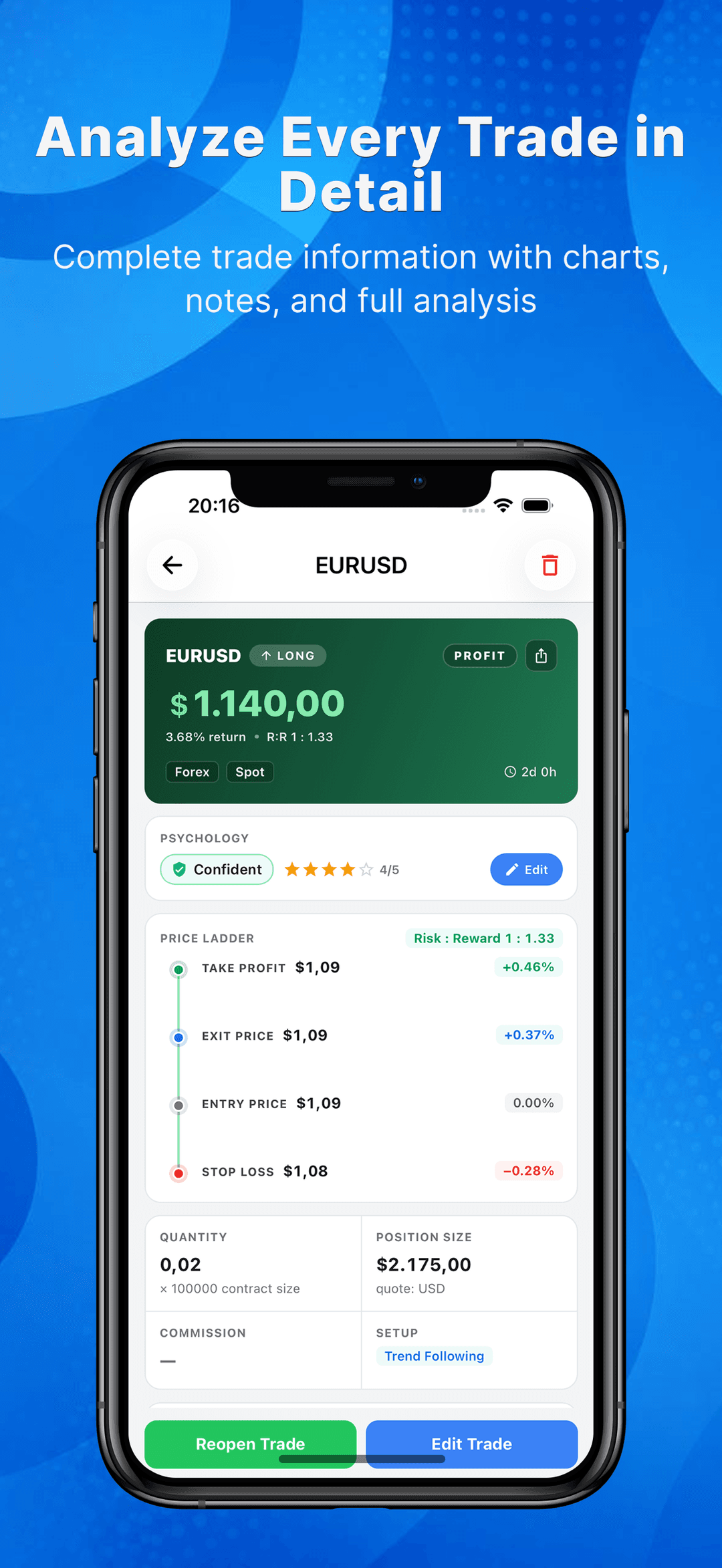
Record entry and exit prices, position size, market, setup, and chart screenshots in seconds.
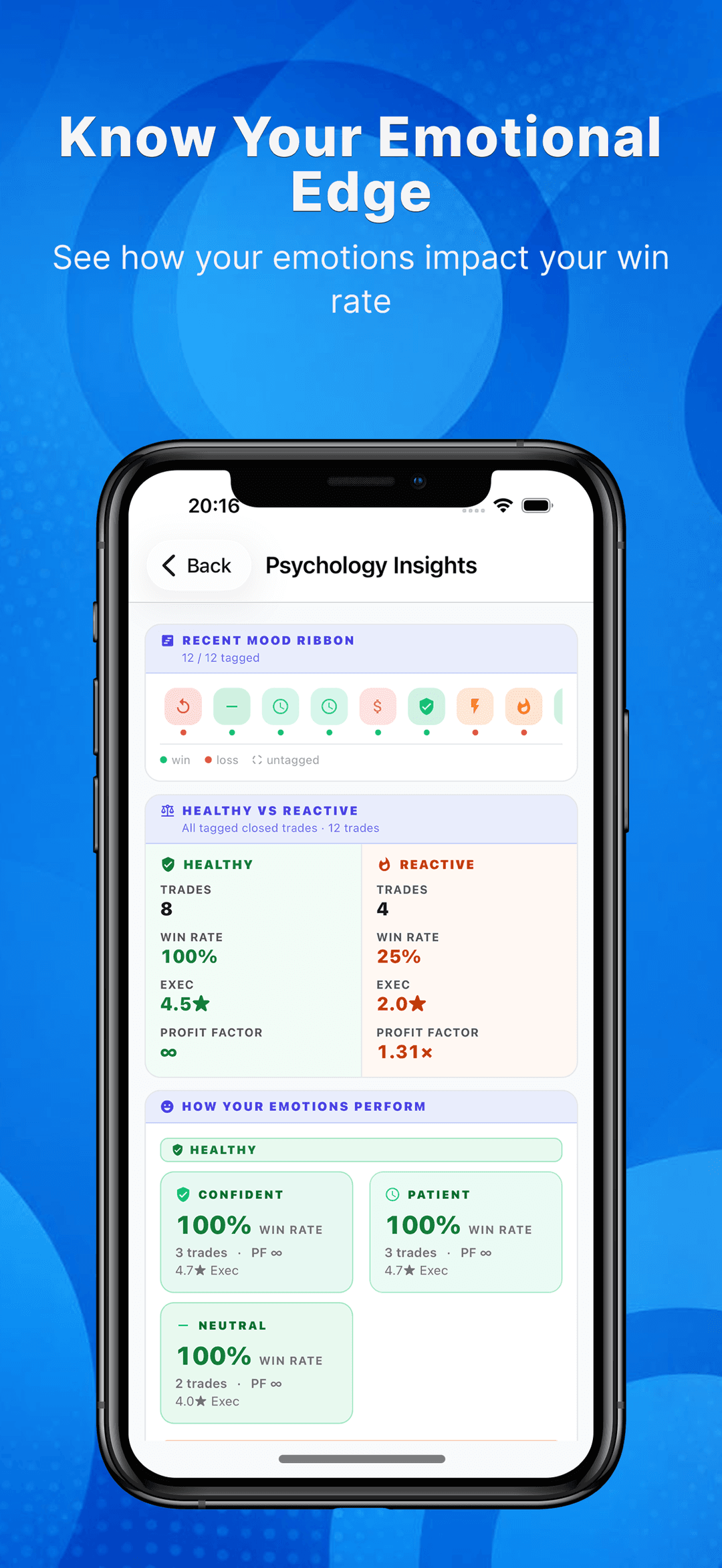
Add emotions and star ratings to each trade so your mindset becomes measurable data.
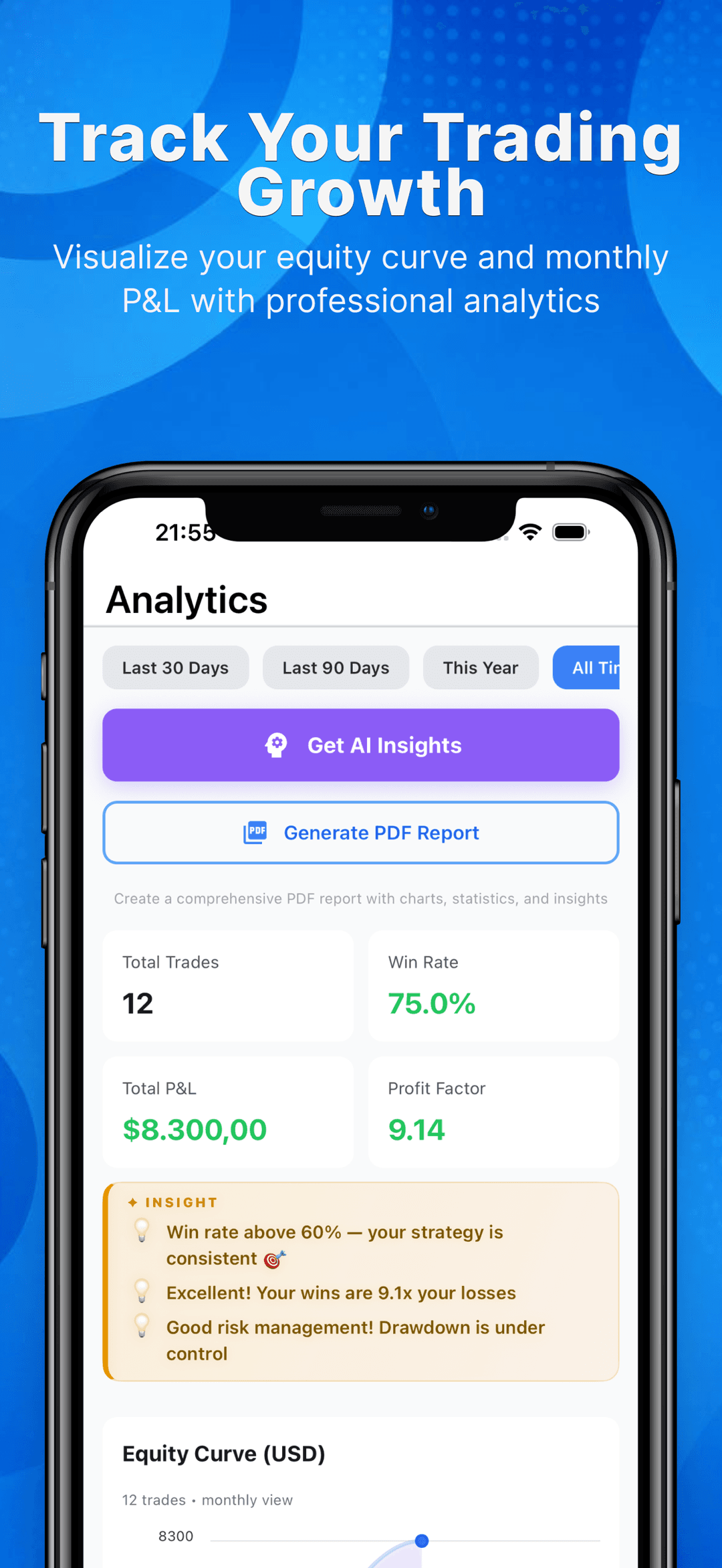
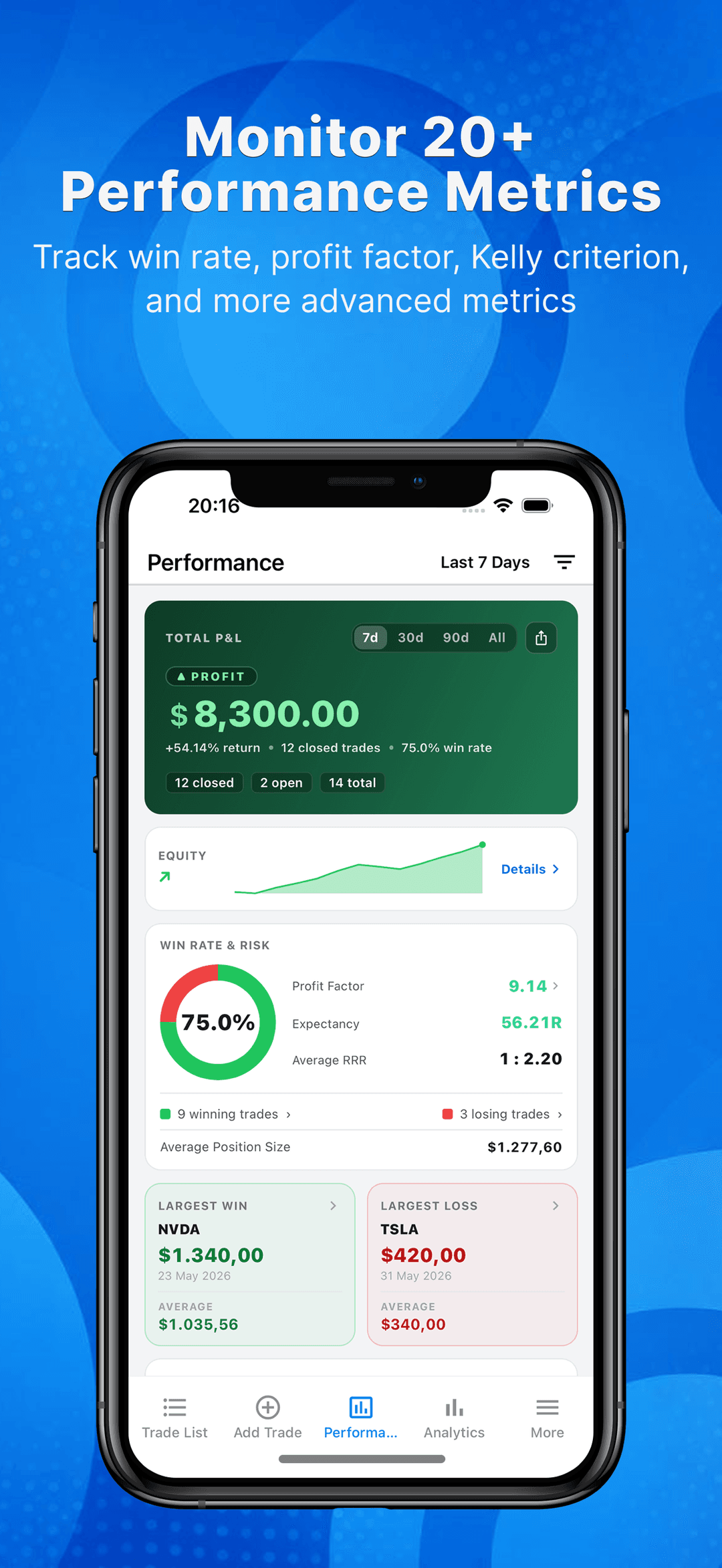
Review win rate, profit factor, expectancy, and your equity curve across any time range.
Spot the setups and emotional states that make you money — and cut the ones that lose it.
Trading workflow
Track, analyze, and optimize your stock, futures, or crypto trades effortlessly with TrackIt, the ultimate trading journal.
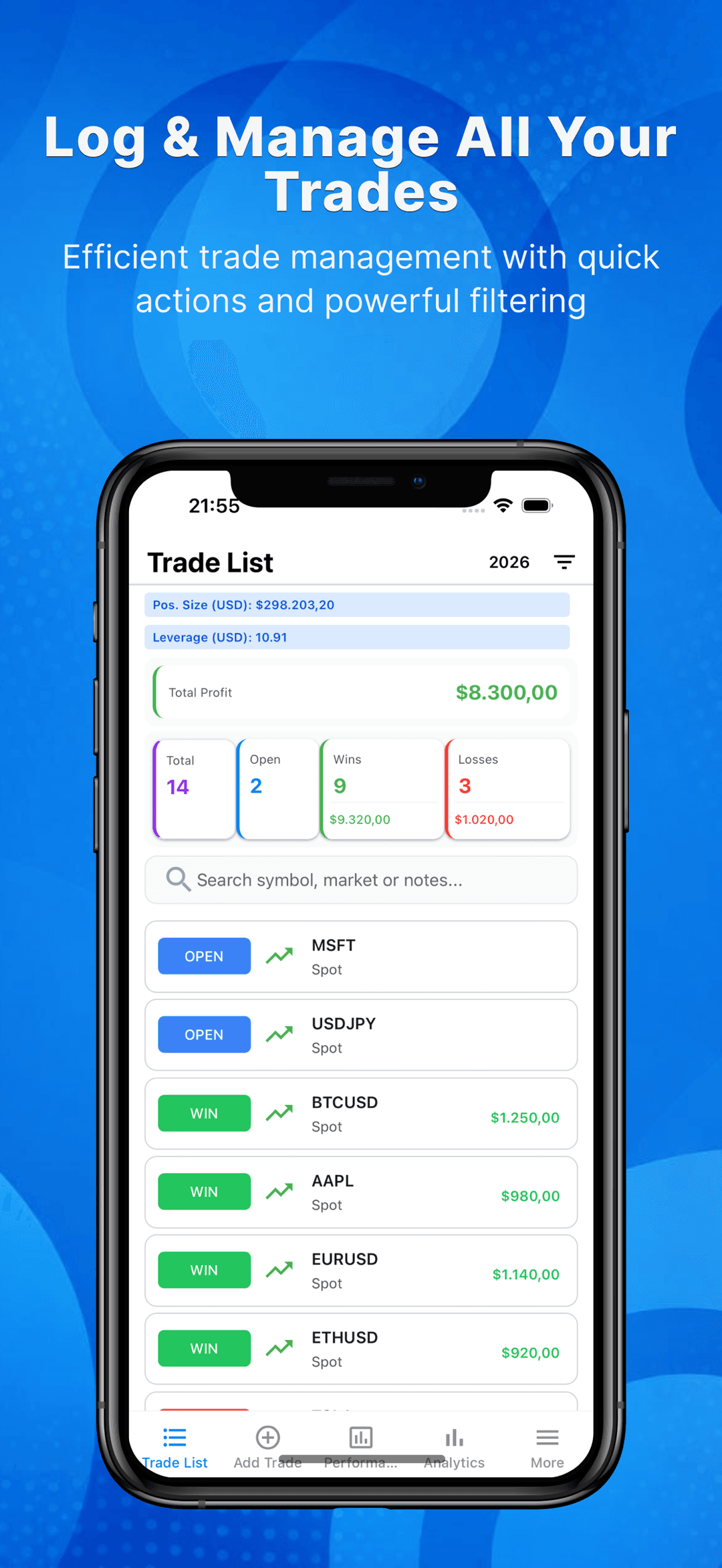
Log your trades effortlessly with key details like entry, exit, notes and more.
Track your trading performance. Monitor key metrics like win rate and profit factor to optimize your strategy.
Secure your trading data with easy backup and restore options. Export trades to Excel for further analysis and reporting.
Quickly access and review each trade with a structured layout.
Find specific trades instantly with powerful filtering options. Filter by date, instrument, market, setup and more to focus on what matters most.
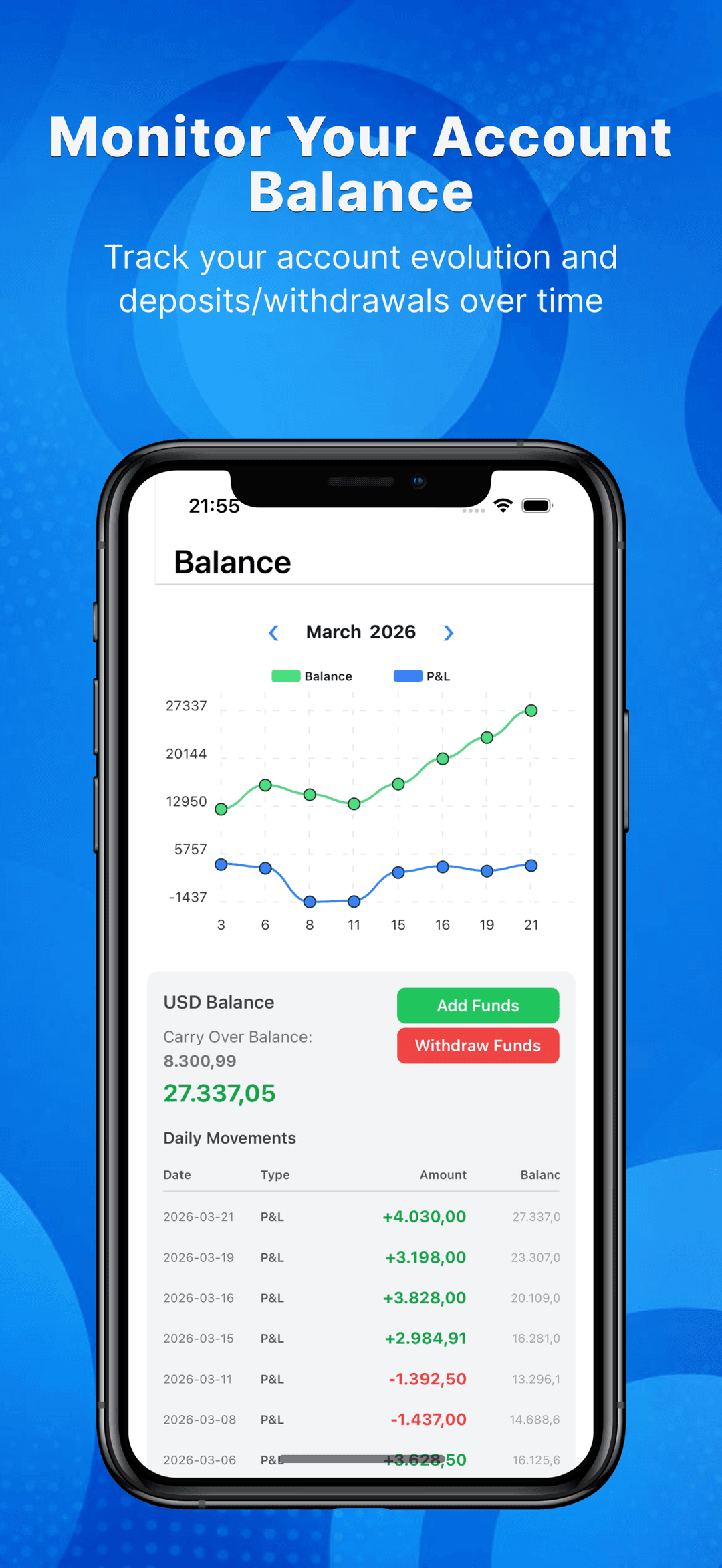
Manage your trades in both USD and your local currency. Get accurate insights without the hassle of manual conversions.
Why it matters
TrackIt helps traders move from guessing to reviewing. The journal makes behavior, risk, and execution quality easier to inspect.
Use your journal as a record of decisions, emotions, and outcomes so the same mistakes become harder to repeat.
Analyze, Find Your Profit Edge
Take your trading to the next level with TrackIt — the ultimate trading journal app built for traders who want to track, analyze, and improve their performance.
Successful traders know that consistency and self-review are essential. With TrackIt, you can easily:
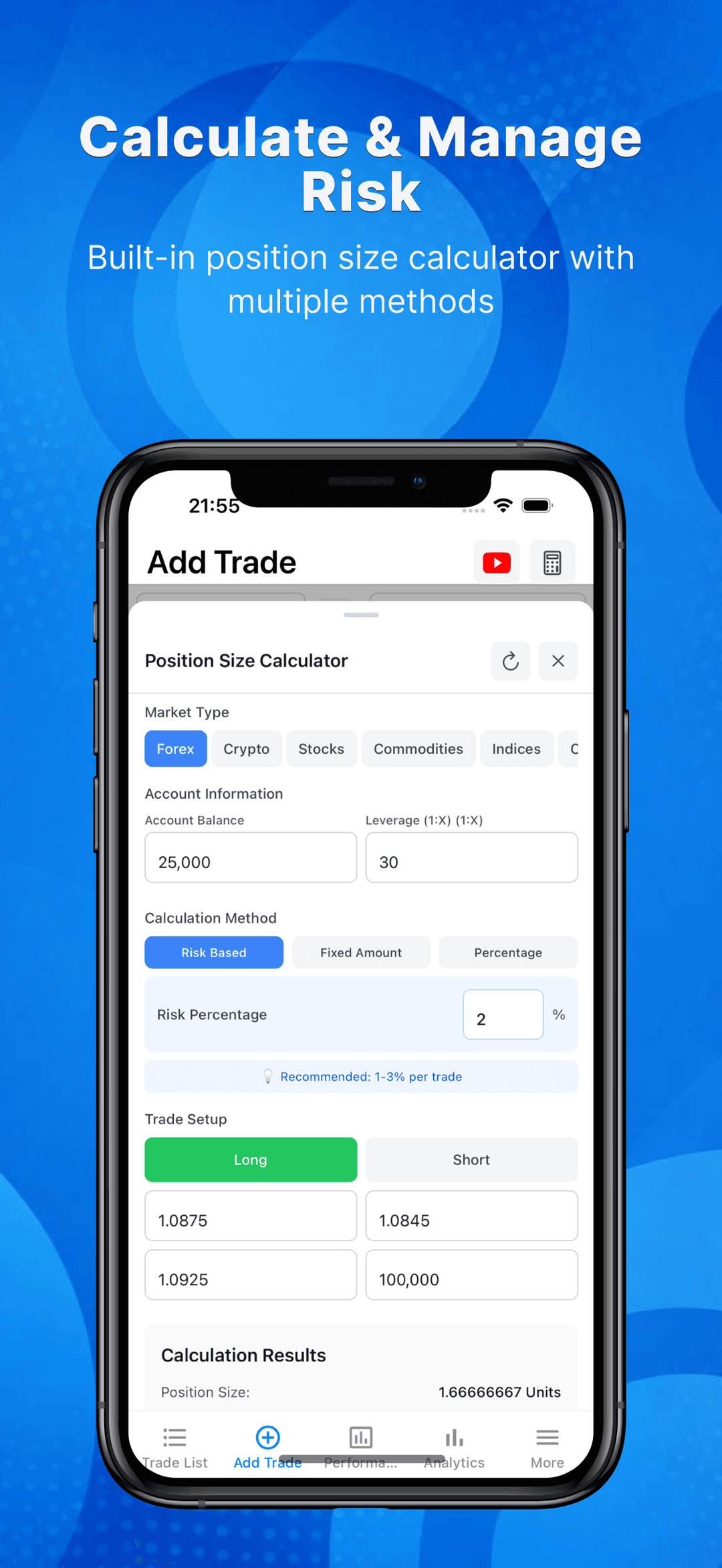
Easily record key trade information such as entry/exit prices, position size and screenshots.
Analyze your results with real-time metrics including win/loss ratio, average return, and profit factor.
Guides
Answers to the questions traders search, with step-by-step walkthroughs.
Learn how to keep a trading journal: what to log in every trade, when to log it, and how to review entries so your journal actually improves your trading.
Read guideSpreadsheet or app for your trading journal? Compare setup time, analytics, screenshots, and consistency to pick the right tool for how you trade.
Read guideA practical system for tracking emotions in trading: which states to tag, when to log them, and how to quantify what fear, FOMO, and tilt cost your P&L.
Read guideRevenge trading destroys accounts fast. Learn the warning signs, set pre-committed rules that hold after a loss, and use a journal to make tilt visible.
Read guideA repeatable 30-minute weekly trading review: which metrics to check, how to sort winners and losers, and how to turn insights into one rule change.
Read guideMost day traders win 40-60% of trades — but win rate alone won't make you money. See benchmarks by style and how profit factor completes the math.
Read guideFAQ
If you have anything else you want to ask, send me an email.
No, TrackIt does not provide trading recommendations or facilitate trade execution. It is purely a trading journal that allows users to manually log their trades, analyze performance, and track progress.
Photos added to trades are stored locally on your device and are not included in backups for privacy and storage efficiency.
Local Currency requires historical exchange rate calculations, which TrackIt does not support. To enable it, you must delete all trades in the list or reset the database.
No, when Local Currency is enabled, all calculations are done in that currency. USD-based trades are converted to Local Currency using the exchange rate on the exit date.
TrackIt retrieves exchange rates from CurrencyBeacon and stores them on Amazon AWS. The app fetches the data every hour and saves it to the local database. If needed, users can also manually enter an exchange rate.
By default, TrackIt applies a 7-day filter when opening the trade list. However, you can set a different default filter by long-pressing the other days (Except Date Range) in the filter menu.
Yes! If Local Currency is enabled, long-press the currency selector in the 'Add Trade' screen to set the default currency for future entries.
No, automatic backups are stored in the designated backup location within the app. You can manually access (if your device has permission) and retrieve them if needed.
TrackIt keeps only the last three backups, automatically removing older ones. But you can manually create backups as many times as you want.
For futures trading, different Market-Symbol pairs have specific contract sizes (e.g., 1 Forex contract = 100,000 units, 1 Gold contract = 100 troy ounces). If a preset exists, TrackIt will automatically apply the correct contract size when logging a new trade.
Yes! TrackIt supports speech-to-text using your phone's built-in voice recognition feature, allowing you to dictate notes easily.
Currently, TrackIt only stores data locally on your device. However, you can manually export data or back up your database for safekeeping.
Get started
Join hundreds of satisfied users who have transformed their financial future with smarter trades!